

A local news website should feel close to its readers. People visit it to check city updates, transport changes, local events, crime reports, property news, community stories, and public service information. They want to know what is happening around them, and they want to find the information quickly.
That’s why a general blog theme may not be enough. A local publication needs clear categories, featured stories, trending news, latest updates, newsletter signup forms, community sections, and a layout that works well on mobile.
If you need a local news WordPress theme, Locapitol gives you a better starting point. It’s a local news demo from JNews, designed for publishers who cover city life, neighborhood updates, transport, events, community issues, property news, and regional stories.
In this article, we’ll look at what a local news website needs, what to consider when choosing a local news WordPress theme, and how JNews supports those needs.
Why a Local News Website Needs a Specialized Layout
A local news website does more than publish articles. It often becomes part of a reader’s daily routine.
People may visit it before commuting, during lunch, after hearing about a city issue, or when planning a weekend event. Some readers may look for transport updates. Others may want crime reports, community stories, property developments, or nearby events.
When all articles appear in one simple blog feed, important stories can disappear too quickly. A local news website needs a clear structure because readers often visit with a specific purpose.
A useful local news layout should make it easy to:
- Find the latest city updates
- Browse news by topic or category
- Highlight urgent or important stories
- Show trending articles and community stories
- Separate events, transport, crime, property, and local news
- Collect newsletter subscribers for daily or weekly updates
- Keep the browsing experience clear on mobile
Locapitol helps with this because the demo already organizes local content into clear editorial sections. Instead of starting from an empty homepage, you get a structure made for a local publication.
What to Look for in a Local News WordPress Theme
Don’t choose a local news theme only because the homepage looks modern. A city or community publication needs more than a clean design. It needs a structure that supports frequent publishing, quick browsing, and reader trust.
Clear Local Categories
Local readers often visit with a specific question.
They may want to know what happened in the city center, whether a transport route changed, which event will happen this weekend, or what new property development is being built nearby.
A strong local news theme should make these categories easy to find from the main menu and homepage. Locapitol includes category directions such as City, Crime, Transport, Local Event, Community, and Property.
This kind of structure helps visitors move through the site faster. They do not need to scroll through every article just to find the local information they need.
A Strong Featured Story Area
Not every local story needs the same level of attention.
Some articles should lead the homepage because they affect many readers. For example, a transport change, major city project, public safety update, community crisis, or large local event may need more visibility than a regular article.
Your theme should give you a clear featured area where the most important story can stand out. This helps readers understand the top story of the day as soon as they arrive.
Trending and Latest News Sections
Local readers often want two things at once. They want the newest updates, but they also want to know what other people in the community are reading.
That’s why sections like Trending News and Latest News are useful. Trending sections help you show stories that get more attention. Latest sections help regular readers catch up on newly published articles.
Together, they make the homepage feel active without depending only on one chronological post list.
Space for Community Coverage
Local news isn’t only about breaking stories. It also covers people, places, local groups, public projects, cultural events, and everyday community life.
A local news theme should give enough space to community stories. If your site only shows urgent headlines, it can feel cold. If it only shows positive community stories, it may not feel useful enough.
Locapitol includes a Community section. You can use it for local initiatives, neighborhood updates, public participation stories, cultural activities, and community profiles.
Newsletter Support
A newsletter is useful for local publishers because the audience is tied to a specific place. Readers may want a daily city briefing, weekly community roundup, event digest, transport update, or local development summary.
Locapitol includes newsletter areas on the homepage and footer. You can replace the demo copy with a clearer promise that matches your publication.
For example, instead of only saying “join our newsletter,” you could offer:
- Daily local headlines every morning
- A weekly city roundup
- Weekend event updates
- Transport and public service alerts
- Community stories from your area
The more specific your promise is, the easier it is for readers to understand why they should subscribe.
Mobile-Friendly Reading
Many local readers will visit from their phones. They may check updates while commuting, standing in line, opening a story from social media, or searching for quick information away from home.
A local news theme should keep menus easy to tap, headlines readable, article lists clear, and newsletter forms simple on smaller screens.
JNews is built for news, blog, and magazine websites. The features highlight performance, mobile-first design, native SEO, publishing tools, monetization, and visual layout builders. This makes it a practical foundation for a local publication that needs more than a basic blog setup.
Locapitol: A JNews Demo for Local News Publishers
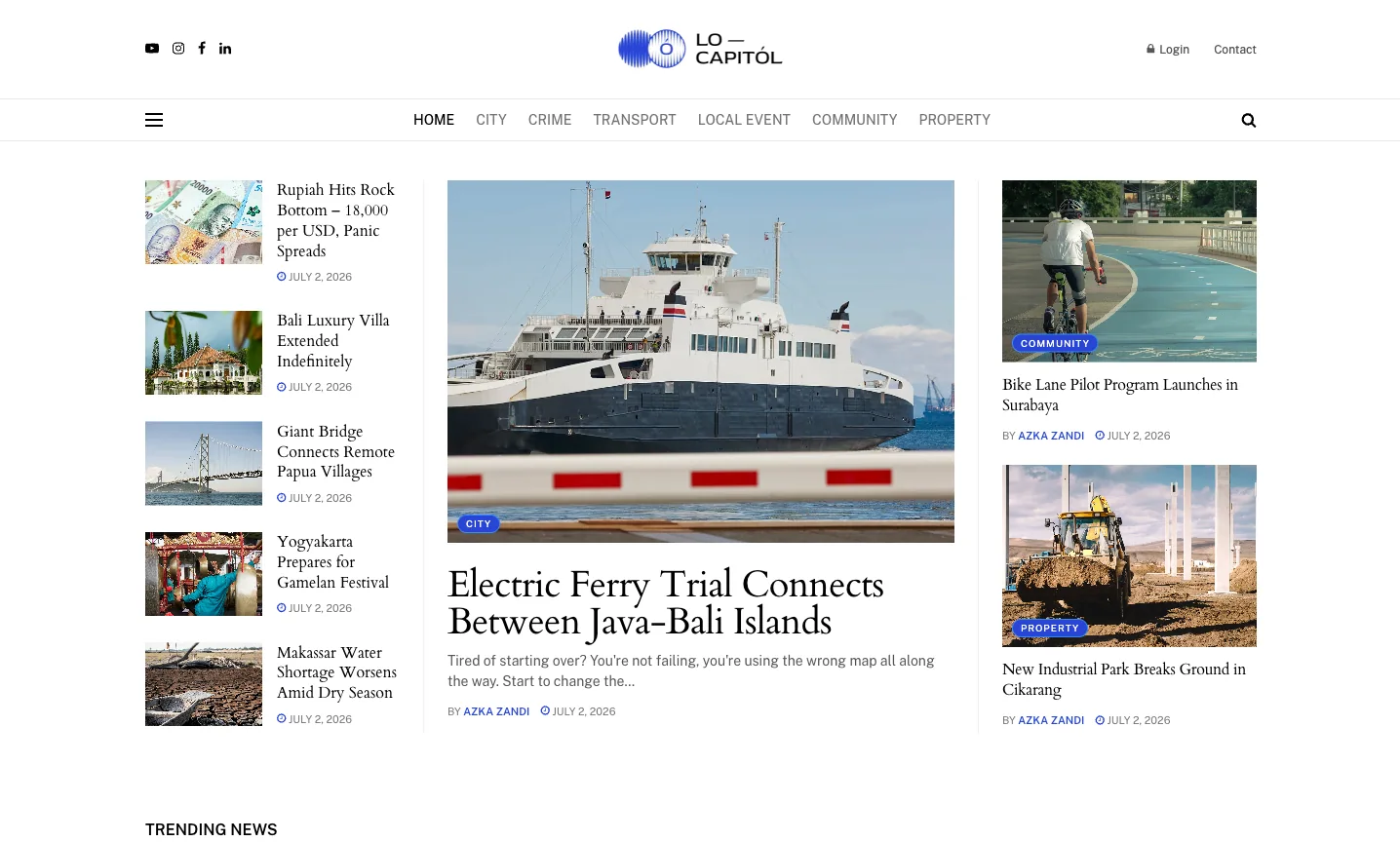
Locapitol is a local news demo for JNews. Its homepage organizes city and community coverage into clear sections, including trending news, new posts, community stories, highlights, opinions, featured news, newsletter signup, and latest updates.
This layout works well for publishers who want to build a local news site that feels active, organized, and close to the community.
Locapitol is especially useful if your website covers:
- City updates and public information
- Local government and public services
- Transport and commuting news
- Local events and culture
- Community initiatives
- Crime and public safety updates
- Property and development news
- Regional lifestyle stories
- Reader-focused newsletters
This structure matters because local news can become scattered very quickly. City updates, crime reports, transport news, events, community stories, and property updates all need their own space.
Locapitol gives each content type a clearer place on the homepage. As a result, your site can feel like a real local news publication, not just a general blog with mixed posts.
What Is Included in the Locapitol Demo
Locapitol gives you a ready-made homepage direction for a local news brand. You can replace the demo posts with your own stories while keeping the layout structure as your starting point.
Header With Health Topic Navigation
The top navigation makes the main local categories easy to find. The demo menu includes:
- Home
- City
- Crime
- Transport
- Local Event
- Community
- Property
This simple menu helps new visitors understand the website quickly.
For example, readers who need commuting updates can go directly to Transport. Readers who want local development news can open Property. Readers who want neighborhood stories can choose Community.
This clarity matters because local readers don’t always browse casually. Many of them visit with a specific local concern.
Featured Story and Popular News
Locapitol opens with multiple prominent stories before moving into deeper sections. The demo includes local-style headlines around currency concerns, property, infrastructure, cultural events, water shortage issues, transport, community, and industrial development.
This helps the homepage show many important stories, without making it look messy. It also lets you show more than one important story above the fold without turning the page into a confusing wall of headlines.
For a real local publication, you could use this area for:
- A major city announcement
- A transport disruption
- A public safety update
- A regional infrastructure project
- A large local event
- A community issue that needs attention
The goal is to help readers see the day’s most important local stories right away.
Trending News
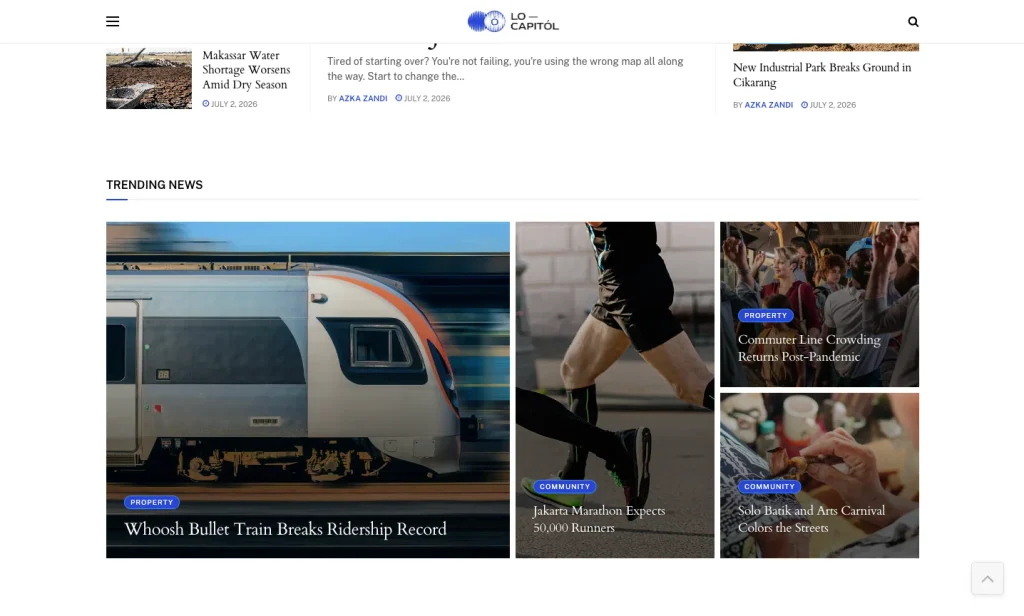
The Locapitol demo includes a Trending News section.
This section is useful because some local stories become community talking points. A transport issue, public event, crime update, local business story, or property development may keep getting attention even after you publish newer posts.
A Trending News section gives those stories more visibility. It also helps new visitors understand what the community is paying attention to.
You can use this section for articles with high views, strong comments, social shares, or editorial priority.
What’s New
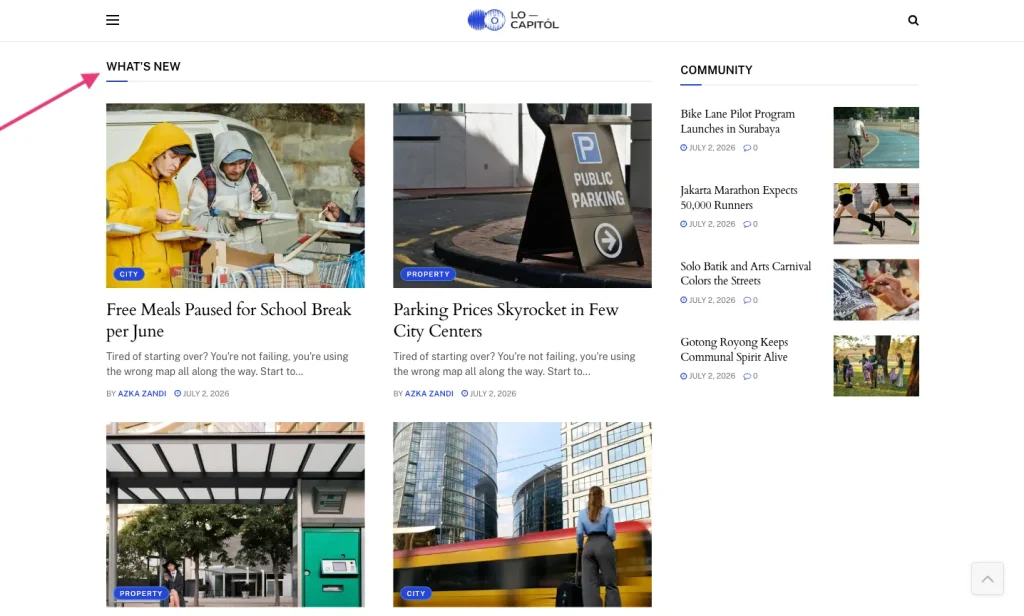
Local readers often return to see what has changed since their last visit.
The What’s New section gives you a clear place to show recent stories. In the demo, this area lists several local-style posts with categories such as City, Property, and Crime.
This section works well for daily publishing because it keeps fresh content visible. It also helps returning readers catch up quickly.
For a real site, you can use this section for:
- New public service updates
- Fresh local event announcements
- New crime or safety reports
- Latest property and development news
- New transport or traffic articles
- City government updates
Community Section
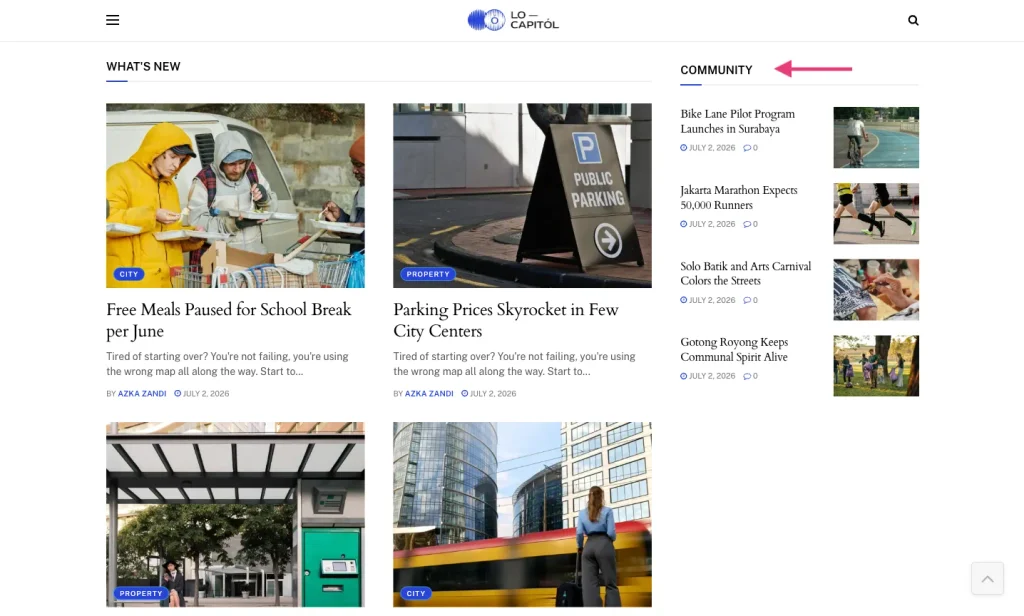
Locapitol includes a dedicated Community section.
This is one of the most important parts of a local news website. Community coverage gives the site a more human side. It helps you publish stories about local groups, cultural activities, neighborhood initiatives, citizen projects, charity efforts, school activities, public participation, and people making an impact.
In the demo, the Community section includes local-style stories about a bike lane pilot program, a city marathon, arts carnival coverage, and gotong royong community spirit.
This kind of section can help your site feel more connected to the people it serves.
Highlights
The Highlights section gives selected stories a larger visual treatment.
You can use this section for articles that deserve extra attention, even when they are not breaking news. For example, a cultural festival, local business feature, regional tourism story, property trend, or city lifestyle article can fit well here.
Highlights also give the homepage better rhythm. Not every section needs to look like a list. A visual highlight area helps readers pause and notice stories with a stronger editorial angle.
Opinions
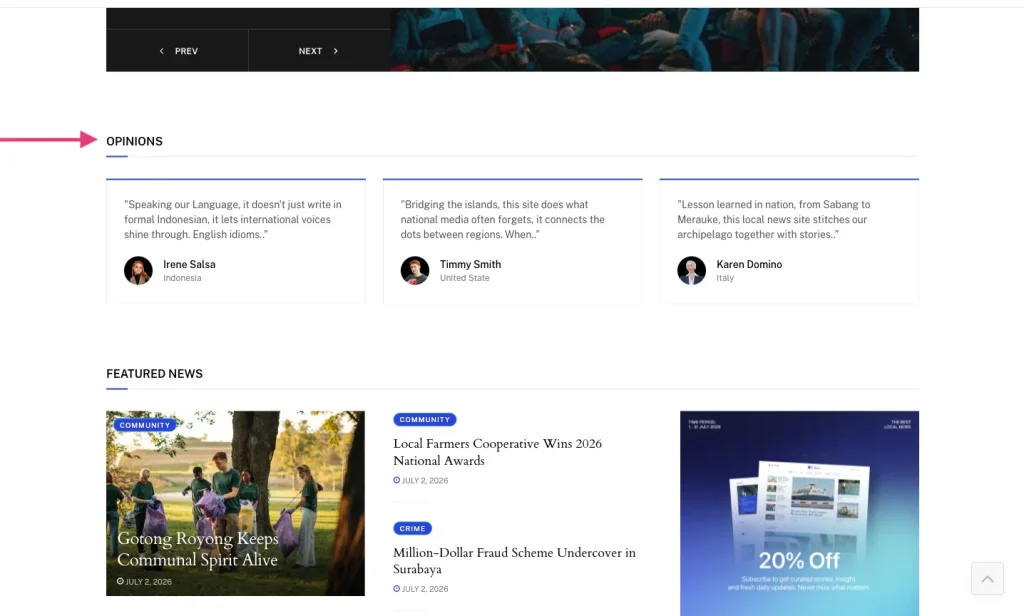
This demo also includes an Opinions section with short reader-style or contributor-style quotes.
The section can help a local publication bring in more community voices. You can use it for columns, guest opinions, reader perspectives, civic commentary, or short quotes from local contributors.
However, you should label opinion content clearly. Make sure readers can tell the difference between reported news, editorial opinion, sponsored content, and reader-submitted commentary.
Clear labels help protect reader trust.
Featured News
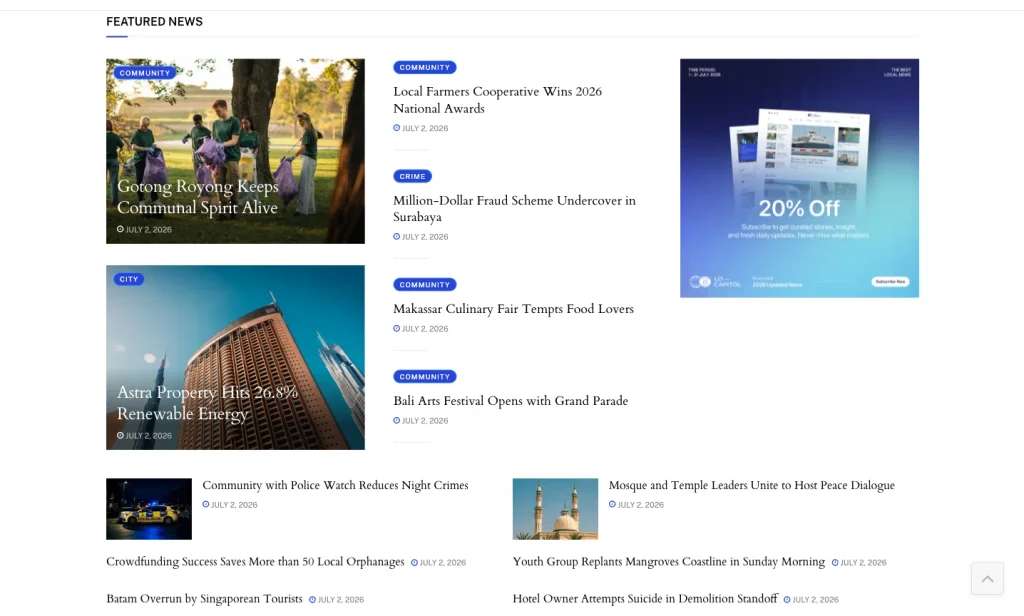
Further down the homepage, Locapitol includes a Featured News section with a compact list of local stories.
This gives you another place to show useful articles after readers pass the top sections. You can use it for editor picks, important updates, ongoing stories, or articles from categories that need more visibility.
For example, you might feature:
- A local farmers cooperative story
- A public safety update
- A cultural festival article
- A community project
- A city development report
- A local tourism story
This helps readers keep exploring instead of reaching the bottom of the page too quickly.
Newsletter Signup
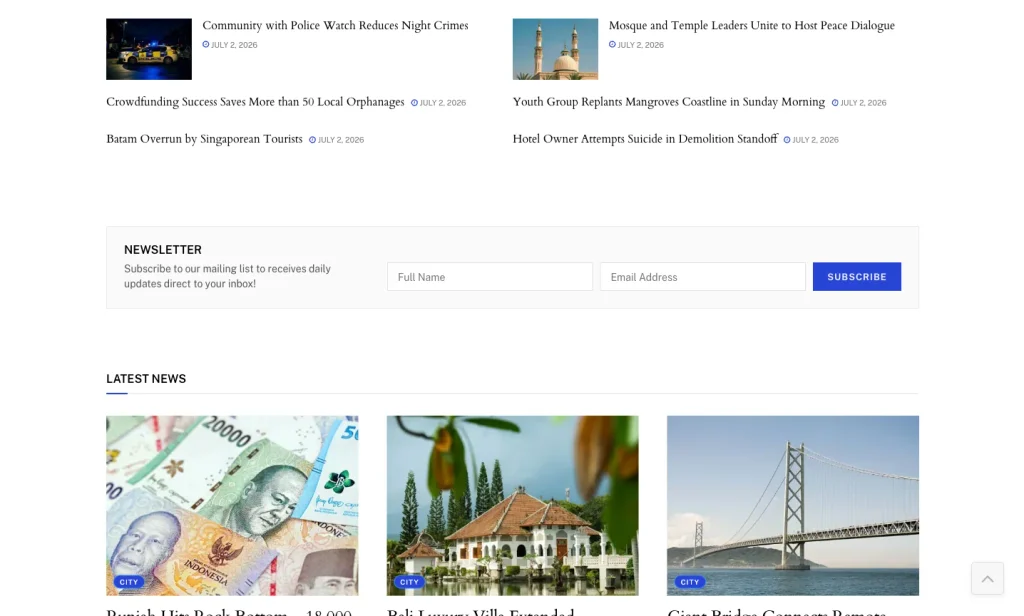
Locapitol includes newsletter signup areas on the homepage and in the footer.
This works well for local news because many readers may not check your website every hour. However, they may still want a useful email that summarizes the most important local stories.
You can use this area for:
- A morning local briefing
- A weekly community roundup
- Weekend event recommendations
- Public service alerts
- Local property and development updates
- Stories from nearby neighborhoods
Make sure the signup copy tells readers exactly what they will receive. A local newsletter should feel useful and specific, not generic.
Latest News and Footer Structure
Near the bottom, Locapitol includes a Latest News section. The footer also repeats useful paths through the site, including Recent News, Join Our Newsletter, About Us, Contact, and the main categories.
This gives readers another way to continue browsing. It also helps your local news site feel complete instead of ending abruptly after the main homepage sections.
For a real publication, the footer is also a good place to include important trust pages, such as:
- About Us
- Contact
- Editorial Policy
- Corrections Policy
- Privacy Policy
- Terms of Use
- Advertising or Sponsorship Information
Local readers should be able to understand who runs the website, how to contact the team, and how your team handles editorial decisions.
Who Can Use Locapitol?
Locapitol works well for publishers who want to build a complete local news website, not just a simple personal blog.
You can use this demo for:
- City news websites
- Regional news portals
- Community newspapers
- Neighborhood magazines
- Local event publications
- Civic information websites
- Local culture and lifestyle sites
- Property and development news sites
- Agencies that build local media websites for clients
Locapitol is especially useful if your site covers several local topics. You may not need this much homepage structure if you only publish one narrow type of content, such as a personal city diary.
However, if you plan to publish daily city updates, events, transport news, crime reports, property updates, and community stories, Locapitol gives you a clearer starting point.
How to Install the Healthscape Demo
After you install JNews, you can import the Locapitol demo directly from the JNews dashboard.
Before you start, make sure your website meets the JNews server requirements. You should also activate the required plugins and create a backup, especially if you are importing the demo into an existing website.
If you haven’t purchased the theme yet, you can get it from the official JNews site or the ThemeForest Page.
Follow these steps to import Techra:
- Install and activate the JNews theme.
- Install and activate the required JNews plugins.
- Go to JNews Dashboard > Import Demo & Style.
- Find the Locapitol demo.
- Choose the import option that fits your website.
- Start the import and keep the browser tab open until the process finishes.
- Replace the demo content with your own articles, categories, logo, images, ads, newsletter text, and links.
Before importing, you can also check the official JNews documentation for more details.
How to Improve Your Health News Website After Importing Locapitol
Locapitol gives you the basic layout. However, the final website depends on how well you adapt it to your community.
Make the Categories Match Your Real Coverage
Don’t keep every demo category just because it is already there.
Choose categories that match the topics you actually cover. For example, a city-focused website may use categories like City Hall, Transport, Public Safety, Business, Events, Schools, and Neighborhoods.
A regional lifestyle publication may use Food, Culture, Events, Property, People, and Weekend Guide.
Clear categories help readers understand your website quickly. They also make it easier for visitors to find the local information they need.
Create a Strong Local Homepage Priority
Your homepage should answer one question quickly: what matters most in this area today?
Use the top story area for the most important update. Then use sections like Trending News, What’s New, Community, Highlights, and Featured News to guide readers through other important stories.
This helps the homepage feel clear, organized, and easy to follow.
Add Trust Pages Before Publishing
Trust matters for every news website, but it matters even more for local news. Readers may know the people, places, businesses, and public issues you cover.
Before launching, prepare important trust pages such as:
- About Us
- Contact
- Editorial Policy
- Corrections Policy
- Privacy Policy
- Advertising Information
These pages help readers understand who runs the website, how to contact your team, and how your publication works.
Make the Newsletter Specific
Locapitol gives you newsletter areas, but you should adjust the copy to match your real offer.
For example, “Get the top five city stories every weekday morning” is stronger than “Subscribe to our mailing list.”
It tells readers what they will receive and how often they will receive it.
For local news, a clear newsletter promise can become one of your strongest ways to build a loyal audience.
Replace Demo Stories With Real Local Examples
The demo gives you the structure, but your website will only feel local when the content reflects your real area.
Use real neighborhood names, city issues, local events, public service topics, community voices, and regional photos. A local news site should not feel like a generic magazine with city labels added later.
The more specific your content feels, the more useful your website becomes for local readers.
Ready to Build Your Local News Website?
A good local news website should help readers understand what is happening around them without digging through too many pages. Organized categories, headline stories, fresh updates, trending posts, community coverage, newsletter areas, trust pages, and a mobile-friendly layout all help readers browse the site more easily.
Locapitol gives you a practical starting point for building a local news publication with JNews. Its demo layout already includes space for city news, crime reports, transport updates, local events, community stories, property news, opinions, highlights, newsletters, and recent posts.
With this demo, you can skip the empty-page stage and start from a layout made for local publishing. Just import it, replace the sample posts with real local stories, adjust the categories, and shape the homepage around the information your community needs most.